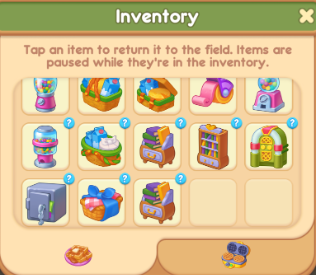
When your game board is full, you can free up space by moving items to the Inventory. Drag the desired item to the Backpack icon on the right side of the screen. Once moved, the item will disappear from the board, freeing up one slot. To return an item to the board, open the Inventory, click the desired item, and it will reappear on the game board.
The Inventory has a limited number of slots. If needed, you can purchase additional slots with crystals to expand your Inventory for item storage.